Overview
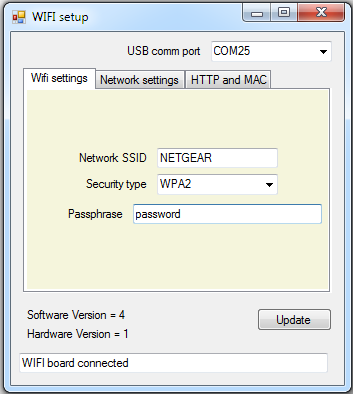
To provide an easy connection to your network we provide a windows
configuration program that will read out and offer the user to change
the settings for there network.
First Step - Get The USB Driver and program
Before connecting the
WIFI module, you should download the
USB driver and unzip it to a temporary folder. Now connect the
WIFI module and navigate windows to the temporary folder and install the driver. The
WIFI board will now appear as a COM port.
Next you will need the configuration program which is available here
Network settings
Contained in this page is the TCPIP port and the ip addresses and mask,
if you have a network with a DHCP enabled you can set the DHCP and the
IP settings will then be read only.

